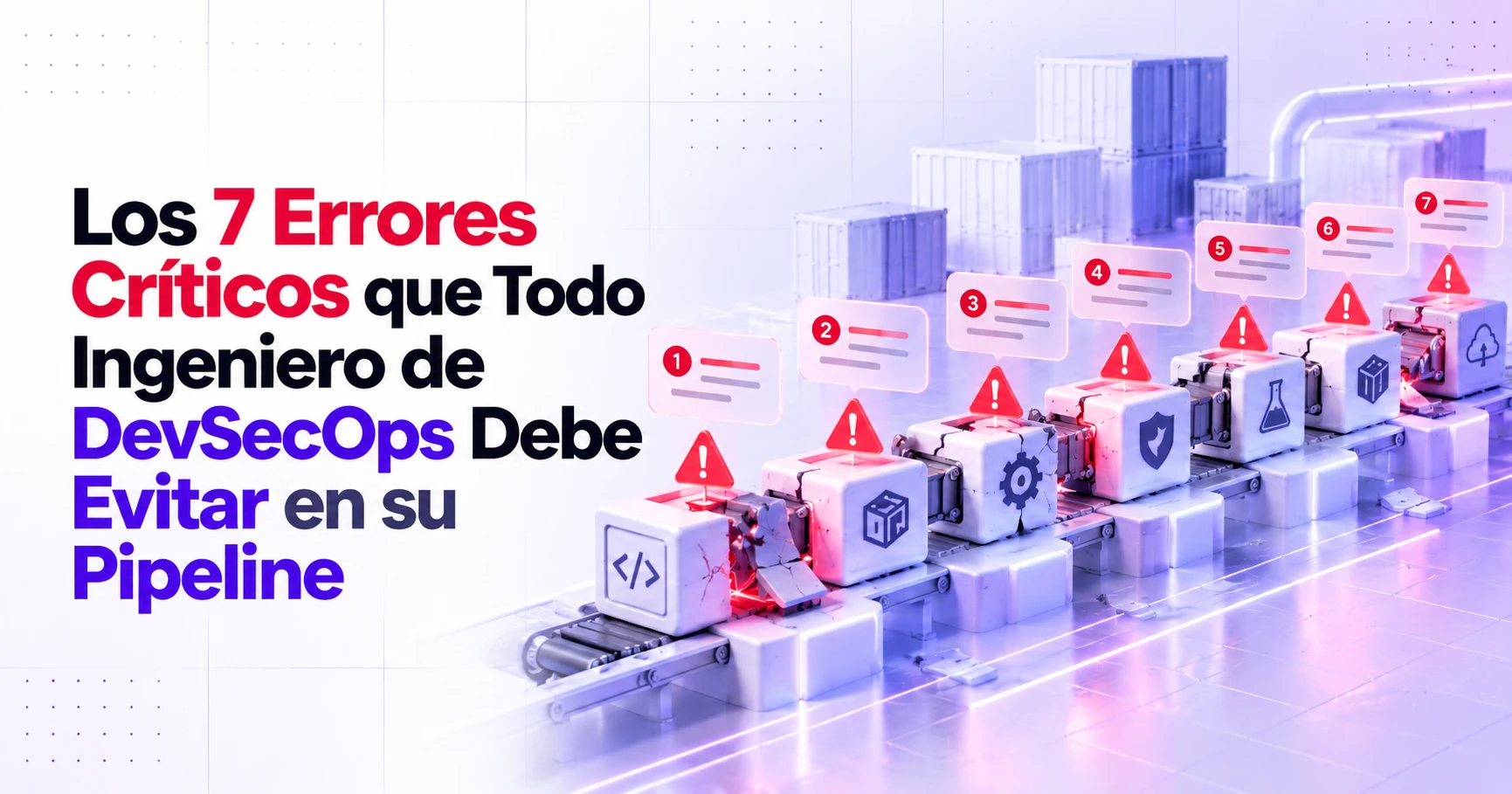
The 7 Critical Mistakes Every DevSecOps Engineer Must Avoid in Their Pipeline

Update (15 Oct 2026): actions/checkout v7.0.0 (18 June 2026) refuses by default to check out fork PR code in
pull_request_targetandworkflow_runworkflows. It backs up the rule in mistake 5, but if you pincheckoutto a SHA you only get it when you update.
A semgrep scan without --error exits with 0 even when it finds vulnerabilities: the job goes green and nobody reads the report. An Action referenced by tag runs whatever commit that tag points to at the time, as users of tj-actions/changed-files found out in March 2025 (CVE-2025-30066; the full case is in the pipeline hijacking post).
The seven mistakes below share that shape: a control assumed but never checked, or a gate that does not block what matters.
1. Leaving security until the end of the cycle
If analysis only runs before a release, every finding arrives as a last-minute blocker. The opposite approach, shift-left, runs the checks on the pull request, while the change is still small. With Semgrep Community Edition installed at a fixed version (pipx install semgrep==1.181.0), the PR job fails only on what the change introduces:
semgrep scan --config p/default --severity ERROR --error --baseline-commit "$BASE_SHA"--severity ERROR limits the gate to the highest-severity rules, and --error makes the command exit with 1 when it finds something. --baseline-commit hides findings that already existed in the base commit, so historical debt does not block every PR and needs its own scheduled scan. The comparison needs the git history (fetch-depth: 0 on checkout), and BASE_SHA comes from github.event.pull_request.base.sha through env, not interpolated into run:, to avoid expression injection. The full workflow, including the SARIF upload, is in the tool stack post.
Limitation: Semgrep matches patterns in code; it does not know what is deployed or exposed. To pick a tool, see SonarQube, Semgrep and CodeQL compared.
2. Treating scanner output as a verdict
SAST, DAST and SCA fail in both directions: they report false positives (unreachable or already sanitized code), and they miss flaws that no pattern expresses. An endpoint GET /api/invoices/{id} that returns another customer’s invoice when you change the ID (BOLA, OWASP API1:2023) contains no dangerous pattern; catching it requires knowing which user should see which object.
I think the line between machine work and human work has moved. Automation can now deduplicate findings, check whether the vulnerable code is reachable, try to exploit the finding, attach the attack path that worked as evidence and propose the patch. That leaves people to accept risk, review the authorization design and decide which business flows are critical.
In practice, findings land on the PR (or as code scanning alerts via SARIF), a security champion on each team does first-pass triage, and false positives are suppressed in code (nosemgrep: <rule-id> plus a comment with the reason), so suppressions go through code review.
Limitation: automated validation confirms what it manages to exploit; it does not prove that everything else is safe.
3. Scanning dependencies without a useful gate
With SCA (software composition analysis) there are two ways to get it wrong: a scan with no gate whose report nobody reads, or a gate that also blocks findings with no fix available. This workflow with the Snyk CLI fails on any high or critical vulnerability that has a fix:
name: sca
on:
  pull_request:
permissions:
  contents: read
jobs:
  snyk:
    runs-on: ubuntu-24.04
    steps:
      - uses: actions/checkout@3d3c42e5aac5ba805825da76410c181273ba90b1 # v7.0.1
        with:
          persist-credentials: false
      - uses: snyk/actions/setup@9adf32b1121593767fc3c057af55b55db032dc04 # v1.0.0
        with:
          snyk-version: v1.1308.1
      - name: Fail on fixable high or critical vulnerabilities
        env:
          SNYK_TOKEN: ${{ secrets.SNYK_TOKEN }}
        run: snyk test --all-projects --severity-threshold=high --fail-on=upgradable
--severity-threshold=high limits the report to high and critical issues. --fail-on only accepts all, upgradable or patchable; with upgradable, the command fails if Snyk has computed a remediation for at least one of them. Exit codes 1, 2 and 3 (vulnerabilities found, error, no supported projects detected) fail the job; on PRs from forks, which get no secrets, it fails for lack of a token. It assumes a lockfile such as package-lock.json: snyk/actions/setup installs only the CLI, not each ecosystem’s toolchain.
If a finding does not affect you, record an expiring exception in the repository: snyk ignore --id=<ISSUE_ID> --expiry=2026-12-31 --reason="Not reachable from user input" writes it to .snyk, which goes through code review. Without --expiry, the ignore expires after 30 days.
Renovate and Dependabot open update PRs; they do not gate anything. For images and IaC, Trivy only fails the job with --exit-code 1 (trivy image --severity HIGH,CRITICAL --ignore-unfixed --exit-code 1, trivy config --exit-code 1); --ignore-unfixed leaves out findings with no patch, like --fail-on=upgradable in Snyk. SBOMs and signing are covered in the supply chain post.
Limitation: with --fail-on=upgradable or --ignore-unfixed, a critical vulnerability with no fix passes the gate. That is what the triage in mistake 4 is for.
4. Prioritizing by CVSS alone
The CVSS v4.0 specification defines the base score as a measure of severity and asks you to add the Threat and Environmental metrics to assess risk. Blocking everything at 7.0 or above can produce a queue the team cannot absorb. A high in a rarely used internal component can matter less than a medium in an internet-facing API. Combine four signals:
- EPSS, from FIRST: the probability that a CVE will be exploited in the next 30 days.
- KEV, from CISA: vulnerabilities with confirmed exploitation.
- Reachability: whether your code calls the vulnerable function.
- Exposure and criticality: whether the asset faces the internet and what data it handles.
If you prefer a decision tree, the alternative is SSVC. This script reads one CVE ID per line and blocks if the CVE is in KEV or its EPSS score is at or above a threshold:
#!/usr/bin/env bash
set -euo pipefail

cve_list="${1:?usage: exploit-gate.sh cves.txt}"
[[ -r "$cve_list" ]] || { echo "ERROR cannot read ${cve_list}" >&2; exit 2; }
epss_threshold="0.1" # example policy value
kev_url="https://www.cisa.gov/sites/default/files/feeds/known_exploited_vulnerabilities.json"

kev_file="$(mktemp)"
trap 'rm -f "$kev_file"' EXIT
curl -fsSL "$kev_url" -o "$kev_file"
jq -e '.vulnerabilities | length > 0' "$kev_file" > /dev/null

blocked=0
while read -r cve || [[ -n "$cve" ]]; do
  [[ -z "$cve" ]] && continue
  [[ "$cve" =~ ^CVE-[0-9]{4}-[0-9]{4,}$ ]] || { echo "ERROR invalid CVE ID: ${cve}" >&2; exit 2; }
  if jq -e --arg c "$cve" 'any(.vulnerabilities[]; .cveID == $c)' "$kev_file" > /dev/null; then
    echo "BLOCK ${cve}: listed in CISA KEV"
    blocked=1
    continue
  fi
  epss="$(curl -fsSL "https://api.first.org/data/v1/epss?cve=${cve}" | jq -r '.data[0].epss // empty')"
  if [[ -z "$epss" ]]; then
    echo "BLOCK ${cve}: no EPSS score, triage manually"
    blocked=1
  elif awk -v e="$epss" -v t="$epss_threshold" 'BEGIN { exit !(e >= t) }'; then
    echo "BLOCK ${cve}: EPSS ${epss} >= ${epss_threshold}"
    blocked=1
  fi
done < "$cve_list"

exit "$blocked"
It fails closed: it aborts on a failed download, an empty KEV feed, an unreadable list or a line that is not a CVE ID, and a CVE with no EPSS score blocks until someone reviews it. Everything else goes to the backlog with a remediation deadline.
Limitation: KEV and EPSS describe the CVE, not your deployment; reachability and exposure require analyzing the code and the asset inventory.
5. Assuming the pipeline itself can be trusted
In December 2024, an attacker poisoned the Ultralytics GitHub Actions cache through a pull_request_target workflow open to injection via the branch name: the release workflow published two versions with injected code to PyPI, and the attacker uploaded two more with an unrevoked PyPI API token still reachable from the workflow (PyPI’s analysis; William Woodruff’s reconstruction). The OWASP Top 10 CI/CD Security Risks lists these vectors as Dependency Chain Abuse (CICD-SEC-3), Poisoned Pipeline Execution (CICD-SEC-4) and Insufficient Credential Hygiene (CICD-SEC-6). Baseline controls from GitHub’s secure use reference for Actions:
- Pin every action to a full-length commit SHA from the original repository (not a fork); let Dependabot or Renovate propose the updates.
- Set
permissions: contents: readat workflow level and grant extra permissions only to the job that needs them. - No
pull_request_targetorworkflow_runworkflows that check out untrusted code, and no cache shared between build and release (PyPI’s recommendation after Ultralytics). - No self-hosted runners on public repositories, where anyone can open a PR.
Attacks on runners and credentials are covered in the pipeline hijacking post.
Limitation: a pinned SHA stops a moved tag from changing what you run, but it does not help if the pinned commit was already malicious, nor does it cover actions that the pinned action calls by tag. Review the diff of every update.
6. Keeping static secrets and not scanning for them
A credential in source code is a weakness in its own right (CWE-798), and a long-lived credential in the CI environment is within reach of any code that runs in the job. Between 31 January and 1 April 2021, a tampered Codecov Bash Uploader sent its customers’ CI environment variables to an external server, and Codecov asked them to rotate those credentials. For credentials committed to the repository, run gitleaks in two places: on the PR, over only the commits it adds, and in an on: schedule job, over the full history:
# Pull request job: only the commits the PR adds (checkout with fetch-depth: 0)
gitleaks git --redact -v --log-opts="${BASE_SHA}..HEAD" .
# Scheduled job: the full history
gitleaks git --redact -v .
gitleaks exits with 1 on a finding or an error, and --redact keeps the secret value out of the log. Already-revoked secrets go into .gitleaksignore by fingerprint; otherwise the scheduled job fails on every run. The full job, with a download verified by SHA-256, is in the tool stack post. As a pre-commit hook (id: gitleaks, rev: 83d9cd684c87d95d656c1458ef04895a7f1cbd8e # frozen: v8.30.1) it stops the secret before the commit, but it runs locally and SKIP=gitleaks bypasses it. On GitHub, push protection blocks the push; on private and internal repositories it requires GitHub Secret Protection, and by default anyone with write access can bypass it by giving a reason.
If a secret leaks, revoke it first and clean the history afterwards: deleting it does not invalidate it, and it survives in clones, forks and logs.
For the cloud, replace keys with OIDC: permissions: id-token: write, aws-actions/configure-aws-credentials with role-to-assume, and a trust policy that checks the sub claim (GitHub’s guide for AWS; the full trust policy is in the pipeline hijacking post); for PyPI, use Trusted Publishing. Application secrets belong in a secrets manager such as HashiCorp Vault, AWS Secrets Manager or Azure Key Vault.
A third-party token such as the SNYK_TOKEN from mistake 3 can stay in CI if it belongs to a minimally privileged account and you rotate it. If a token can deploy or publish, make it an environment secret: it only reaches that environment’s jobs once they pass its protection rules, such as reviewer approval.
Limitation: gitleaks recognizes known formats and high-entropy strings; a short password with no recognizable prefix can slip through.
7. Confusing staging tests with production protection
Dynamic testing is a pipeline stage that runs against an environment you control; production protection acts at runtime, through blocking, detection and response. Mixing them up makes a WAF look like a substitute for testing.
In staging, the ZAP baseline scan (the project has been ZAP by Checkmarx since September 2024) spiders the application and waits for passive scanning to finish, without launching attacks. As a gate before production, with the rules file in .zap/rules.tsv:
docker run --rm -v "$(pwd)/.zap:/zap/wrk:rw" -t \
  ghcr.io/zaproxy/zaproxy:2.17.0@sha256:7aaa659b0d43078febd82e29bad112285c370727e86ab8340444220e17d9f0d2 \
  zap-baseline.py -t https://staging.example.com -c rules.tsv -I
Only the rules marked FAIL block; everything else warns. -c reads from /zap/wrk the file that sets each rule to IGNORE, INFO or FAIL, and with -I a WARN alert no longer fails the job: the script exits with 1 on any FAIL and with 3 if the scan itself fails. With the zaproxy/action-baseline action, the equivalent is fail_action: true, rules_file_name: .zap/rules.tsv and cmd_options: '-I', after a checkout step. The production deploy job declares needs: on this job (stages and gates in the tool stack post). The full scan does run attacks, so use it only on environments you own. IAST is optional (it requires an agent).
In production:
- A WAF is a compensating control: it blocks known SQL injection and XSS patterns, but encodings and parsing differences can evade it. It buys time; it does not fix the code.
- RASP instruments the runtime at sensitive points (queries, file access, command execution), where it can tell input that arrives as code from a harmless string and block it in context; it requires a per-language agent.
- Container runtime detection, such as Falco, matches system calls against rules and raises alerts that must reach someone on call (more in the Kubernetes defense post).
Limitation: the baseline scan only sees what the spider reaches; without authentication configured, it covers only the public pages.
If you only do three things
- Pin Actions to a SHA and make
permissions: contents: readthe default (mistake 5). - Replace long-lived cloud keys with OIDC and add gitleaks to the PR checks (mistake 6).
- Make the gate block what is exploitable and fixable: KEV, EPSS and fix availability (mistakes 3 and 4).
Which tool runs at each stage, and what it blocks, is in the tool stack post.